



Elvis 3 – visualization software
Smart home/building automation logically simple, intuitive display and control
ELVIS – ELECTRO-VISUALIZATION SOFTWARE
Elvis 3 is a software system for visualization and automation of buildings and plants. With Elvis you can control, regulate and monitor the plant states.
The representation and the influencing of plant states is done via operating pages. The design of these pages can be freely created with the Elvis 3 projecting tool.
Elvis 3 supports 2D and 3D displays and offers numerous controls that you can customize according to your needs.
Depending on the project requirements, the visualization can be created classically as an operator station or web client or, in keeping with the trend of the times, as a mobile application on a smartphone or tablet.
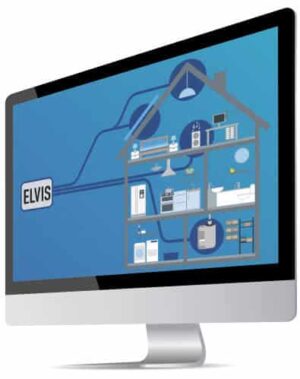
ELVIS 3 IN ACTION:
PRACTICAL APPLICATION EXAMPLES

Fault and alarm messages
- Messages with notification by call, SMS, mail u. v. m.
- Debounce time: No alarm if input changes occur within a specified time window
- Acknowledgement with comment and indication of the user
- Storage in database

Energy monitoring
- Yield display and monitoring of solar plants
- Consumption reports with direct forwarding to cost center
- Consumption trend
- Recording of various parameters

Security
- Audit: Who served what and when?
- Access/Access Control
- Integration of IP cameras (MJEPG & RTSP)
- Redundant operation of the server

Energy efficiency
- Load management with maximum load optimization
- Calendar with time programs connectable to Microsoft Exchange
- Control via sunrise and sunset
ELVIS 3 – TRUMPS WITH ALL FUNCTIONS
Whether an increase in economy, energy efficiency or quality of life – Elvis offers the versatile and typical functions of professional building automation. Internationally proven, perfect and fit for purpose, a wide range of features are available, such as this one:









Elvis 3
Fit for the Internet of Things
– for 100% smart buildings
THE ELVIS 3 HIGHLIGHTS
FOR ELECTRICAL PLANNERS & INSTALLERS

ELVIS 3 offers full system freedom
The software works both system- and vendor-independently. Elvis is a gateway and can be connected to other systems besides KNX , such as MQTT, Modbus, M-Bus or even OPC. Elvis supports the software of devices from different manufacturers.
ELVIS 3 combines systems, services and functions
With ELVIS, you can easily integrate a variety of building automation systems (e.g. KNX), but also media technology (e.g. BACnet), web services (e. g. weather services) or software systems (e.g . hotel software).
ELVIS 3 is strong on all platforms
Clients for Windows, Android, iOS are available for operation. Via a web browser also for any operating system. The design of the user interface can be customized.
ELVIS 3 makes automation convenient and logical
Data points can be organized into functions, for example a dimming function or even a complete room, and these functions can be visualized uniformly using predefined or self-defined elements.
ELVIS COMPONENTS

ELVIS CLIENTS
From the smartwatch to the internet browser: Elvis is at home on all platforms. For operation and process monitoring, Elvis offers operator stations for Windows, Web, Mobile (iOS & Android) and Smartwatch (Google Wear OS).

Elvis Express
Elvis Express makes it possible to create a visualization from a previously structured ETS file with just a few clicks. Elvis Express is part of the visualization software Elvis.

Elvis Viewer direct
Elvis Viewer direct makes systems cost-effective and quick to operate. It combines control station and server for your home and is installed as an app on mobile devices with Android or iOS operating system.

Additional products
Elvis offers the possibility to load extensions for your project via the package manager. In addition to process connections, you will find here, for example, the packages for the consumption report.

XAML Icon Studio
Design your own icons with our XAML Icon Studio product. From a library of over 8000 icons you choose the ones you want and combine them with an overlay and background. You can also import your existing libraries. An import from SVG to XAML is also available for this purpose.

Trainings
Take off with Elvis! For a perfect start with Elvis we offer training. These can be held both as basic training and project-specific. Training can take place as classroom or online training.
LICENSE MODEL ELVIS 3
THE VERSATILE VISUALIZATION SYSTEM FOR BUILDING AUTOMATION
The Elvis 3 software package is available on our homepage completely in the current version. You don’t need a license to use the Elvis Designer. The clients for Elvis Web, Terminal and Mobile are also available free of charge.
A license is only required to operate the server. Before that, the server-client operation can be tested for two hours without a license.
An Elvis 3 license is composed of the following parts:
- Projector license Single or Multiple: for one or more Elvis projects
- Elvis 3 server license: Number of data points
- Elvis Client: Number of simultaneously possible active clients
A license can be upgraded at any time.
Elvis 3 License Model
Example of a minimal configuration for Elvis 3
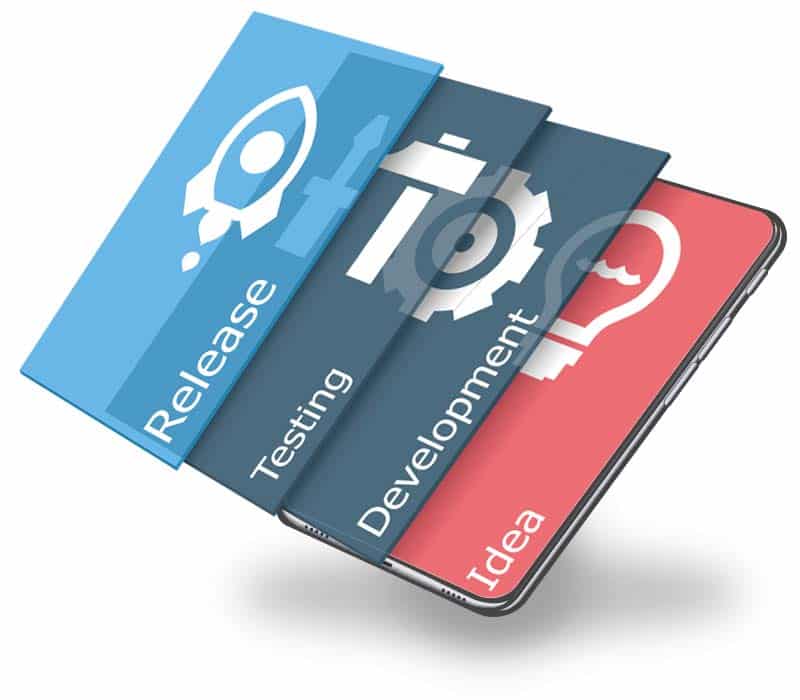
GET TO KNOW ELVIS 3:
DEMOS, INFO, PRICES





GET IN TOUCH!
What can we support you with? Simply use our convenient inquiry tool and we will get back to you immediately with an individual offer!

